
Why a calendar instead of a booking system
The Alma Medical clinic wanted patients to be able to book a mole check online.
Reception already planned everything in Google Calendar: opening hours, holidays, training and appointments arranged over the phone.
Adding another booking system would mean two places where appointments have to match, and one more sync that can fail.
So bookings have no appointment database of their own. The clinic’s calendar is the source of truth. The website works out free times from it and writes new visits into it as ordinary events.
Reception keeps working where it always has.
How it works
Reception decides the free slots
Nobody sets the online booking hours in the website’s admin.
Reception creates an event in the calendar whose title starts with “Online”. For example a recurring “Online · Dermatoscopy” every weekday from 8 to 14.
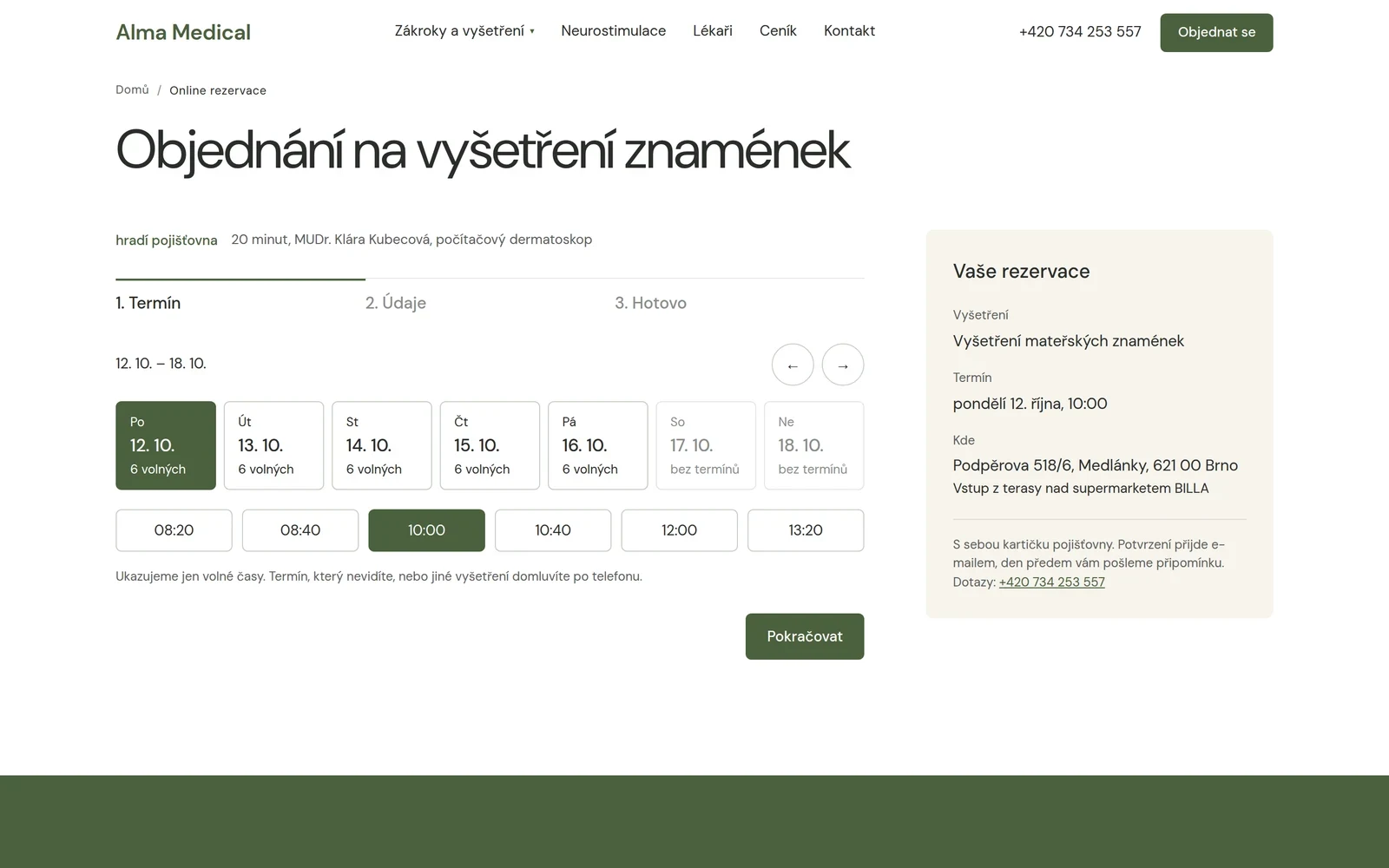
Only inside these windows does the website offer patients 20-minute slots.
Does the clinic need to finish early next Wednesday? It edits the event in the calendar. Done. No change to the website.
Everything else blocks the slot
Any other event in the calendar takes up that time. This applies to all-day events too, such as a holiday.
The exception is events set to Free in Google Calendar. They do not block ordinary scheduling and the booking website ignores them too.
The website also offers nothing sooner than two hours ahead and nothing further than four weeks out.
A patient gets only a list of free times. Patient names, meeting titles and the content of other events are never sent to the browser.

Two patients, one slot
Several minutes can pass between showing a free time and sending the form. In the meantime someone else may pick the same slot.
So we do not check availability only when the page loads.
Before creating the booking, the website checks the calendar again. After writing it, it also checks whether a clash appeared at the same time.
If it did, the system does not treat one of the bookings as confirmed and offers the patient another slot to choose.
It is a detail you cannot see in a picture of the booking form. But without it even a simple system can start handing one slot to two people.
Confirmation, reminder and cancellation
After booking, the patient gets an e-mail with a confirmation and a cancellation link. A reminder goes out the day before the visit.
The cancellation link is signed, so changing a few characters in the URL will not get anyone into someone else’s booking.
The link itself does not cancel anything either. It opens a page first, and only there does the patient confirm the cancellation with a button.
The reason is quite practical: e-mail services, security filters and link previews often open URLs automatically. If loading the link cancelled the booking, an e-mail filter would get there before the patient.
What needs setting up
- Google Calendar API. The website needs a technical account and access to the specific calendar it will read from and write to.
- Access only where it is needed. The technical account gets permission for the designated calendar. It does not need access to the clinic’s e-mail or other calendars.
- Sending e-mails. We send confirmations and reminders from the clinic’s domain through a verified e-mail service.
- Credentials on the server only. Keys for Google and the e-mail service are not in the code sent to the browser. They are stored in the hosting’s server environment.
We also allow for the fact that a service may not be responding at any given moment.
If the website cannot reliably find out slot availability, it does not offer booking blind. Instead of the form it shows the option to book by phone.
Where this approach ends
Google Calendar as the source of bookings works well for one or a few simple types of appointment with a fixed length.
But then comes the point where a database of your own or an off-the-shelf booking system earns its complexity.
- Payment up front. The slot usually has to be held while the payment runs, and you need to handle what happens when a transaction is not completed.
- More capacity. Three patients at the same time, several staff, a specific device or room quickly turn a single calendar into a puzzle.
- Services of different lengths. Twenty minutes for one visit and ninety for another means more complex work with availability.
- Statistics and further automation. How many bookings came from the web, how many people cancelled or who repeatedly did not show up can be found out from a calendar. But a database makes it much easier to work with.
- Sensitive data. At a healthcare provider, the mere fact of a booking can reveal that someone is receiving care. So we store in the calendar only the details the clinic really needs for the booking, and we deal with access rights, account security and data processing terms.
A simpler technical solution is not automatically worse. It just has to be genuinely simpler in operation too, not only during development.
When an off-the-shelf booking system is enough and when something custom makes sense is covered in Booking system: off the shelf, add-on or custom?